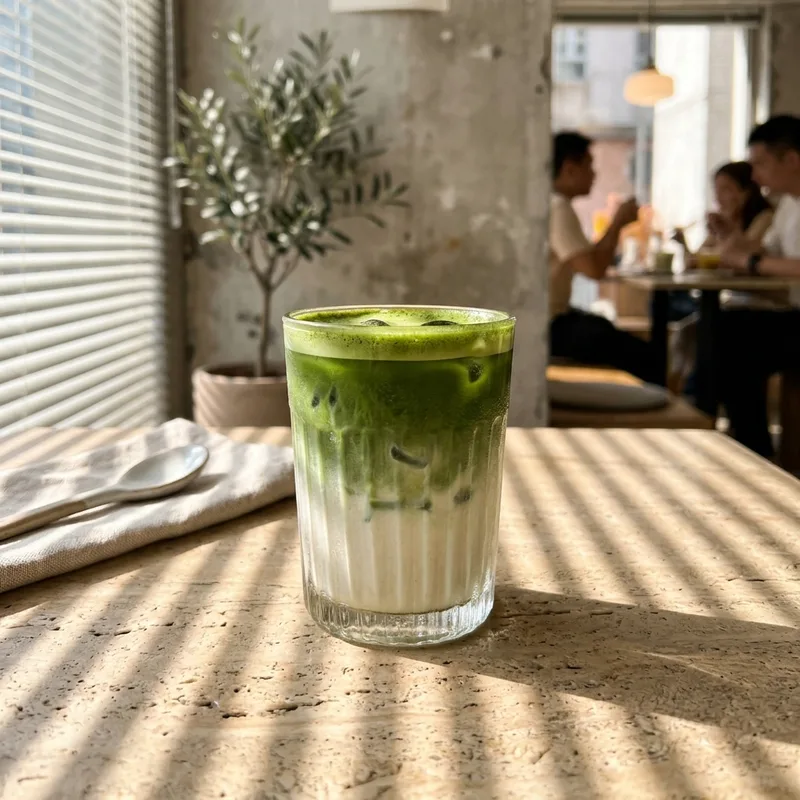
Central specialty F&B hero visual
Stored directly in workspace history so follow-up menu shots can reference the same lighting.
Open this preset in StudioStop juggling personal creative subscriptions across staff. Switch image and short-video models in one dropdown, confirm a live workspace quote before every run, pull past assets back anytime, and route finished creatives through team approval before posting.
Minimalist studio tabletop product photo on limestone with directional daylight
Live per-generation quotes are calculated inside your authenticated workspace before every submit; released holds on unexecuted jobs return automatically.
Selections made here travel cleanly across workspace sign-in so you land directly on the Studio canvas ready to submit.
Submitted jobs track live status and elapsed time while preserving outputs safely under your workspace.
Reopen any past output, restore exact generation parameters in one click, or attach images for reference edits.
Sending a creative creates a pending-approval item on your Workspace Board—nothing ever publishes without human review.

Launch any preset below directly in your authenticated AgenticOS workspace.
Stored directly in workspace history so follow-up menu shots can reference the same lighting.
Open this preset in StudioWorkspace quotes update live across resolution, clip length, and audio choices before dispatch.
Open this preset in Studio
Completed outputs can queue an approval-gated social draft before touching live channels.
Open this preset in StudioSwitch across image and short-video models inside one consistent workspace UI instead of scattered tabs.
Workspace pricing updates dynamically as you change resolution, clip duration, audio, or image-to-image references.
Every job stores sanitized parameters alongside retained artifacts so teammates can iterate without starting over.
Draft captions and selected creatives stay gated on owner or team approval before touching live social channels.
Launch AI Studio inside your workspace now, or message our Hong Kong engineering team to connect existing brand asset workflows.